Enrich new issues
Enrichment checks for duplicates, surfaces related issues, and investigates concrete bugs and feature requests. For an actionable request from a collaborator with write access, it posts a concise implementation plan. Other issues get an analysis or a request for the missing information. In Enrich mode, Pullfrog does not change code.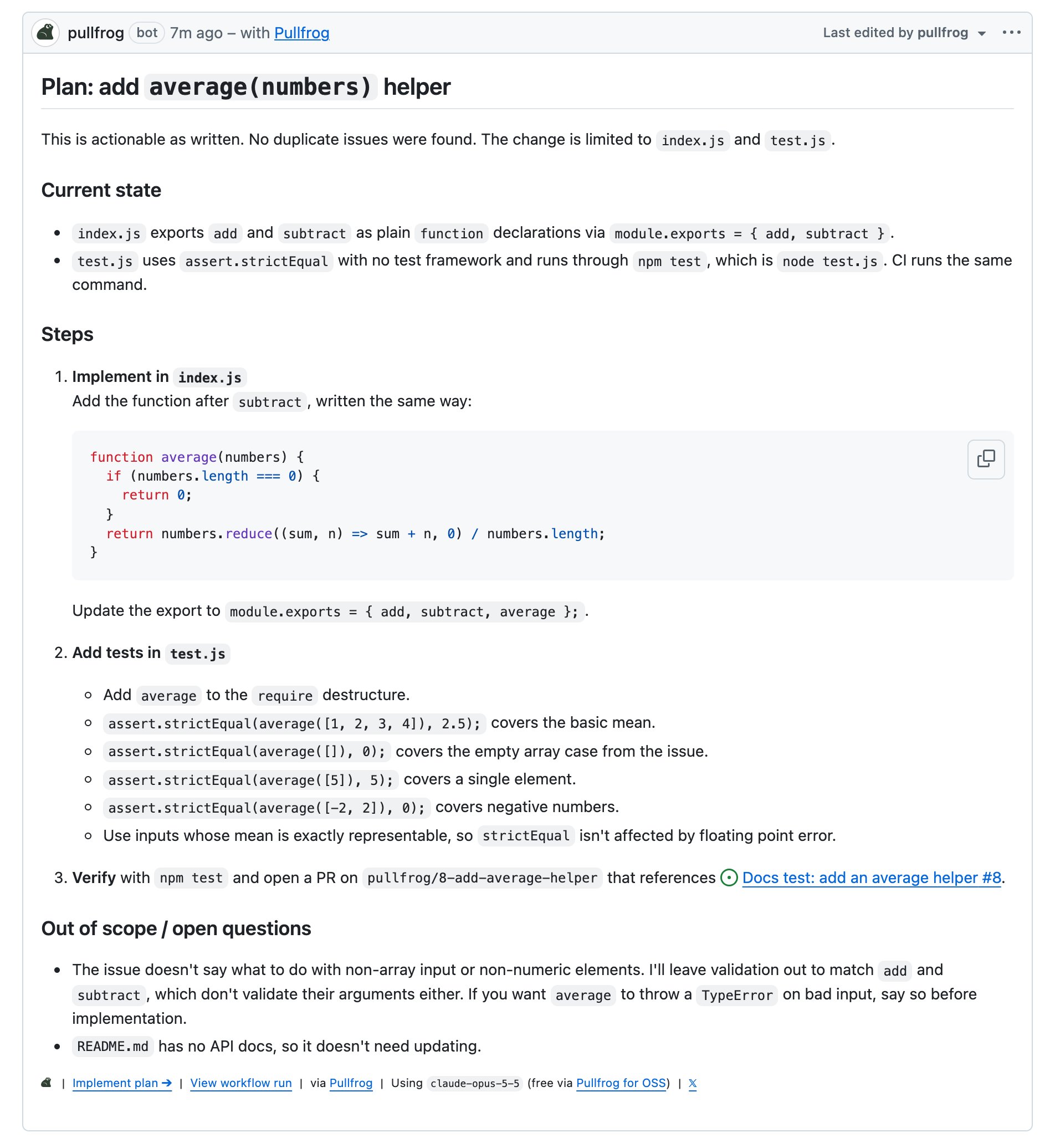
Customize the prompt
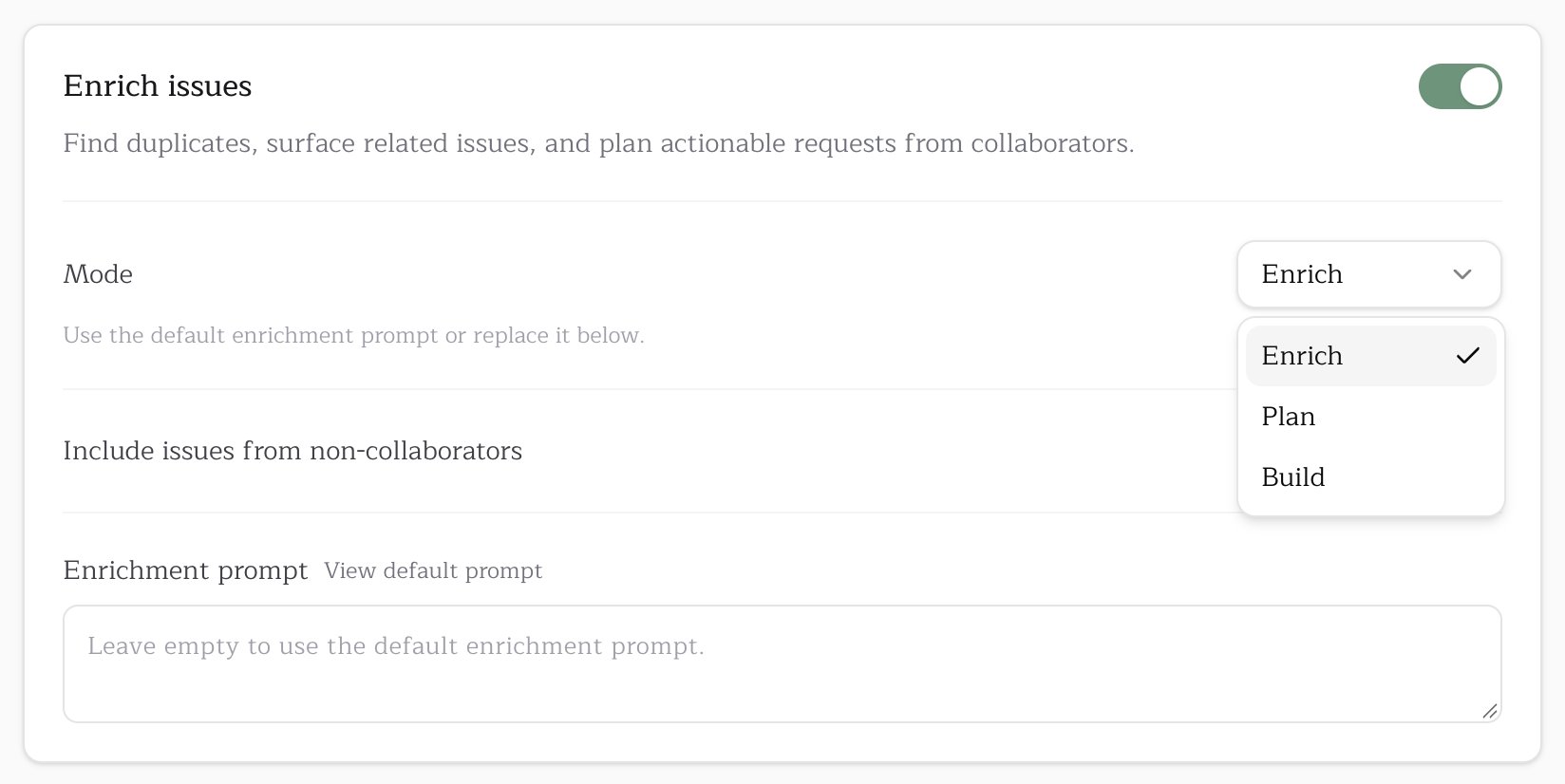
In Enrich mode, the Enrichment prompt field replaces the default prompt. Click View default prompt, then Copy prompt, paste it into the field, and edit it. Clear the field to go back to the default. In Plan and Build modes, the field is labeled Custom instructions and adds to the mode’s built-in prompt.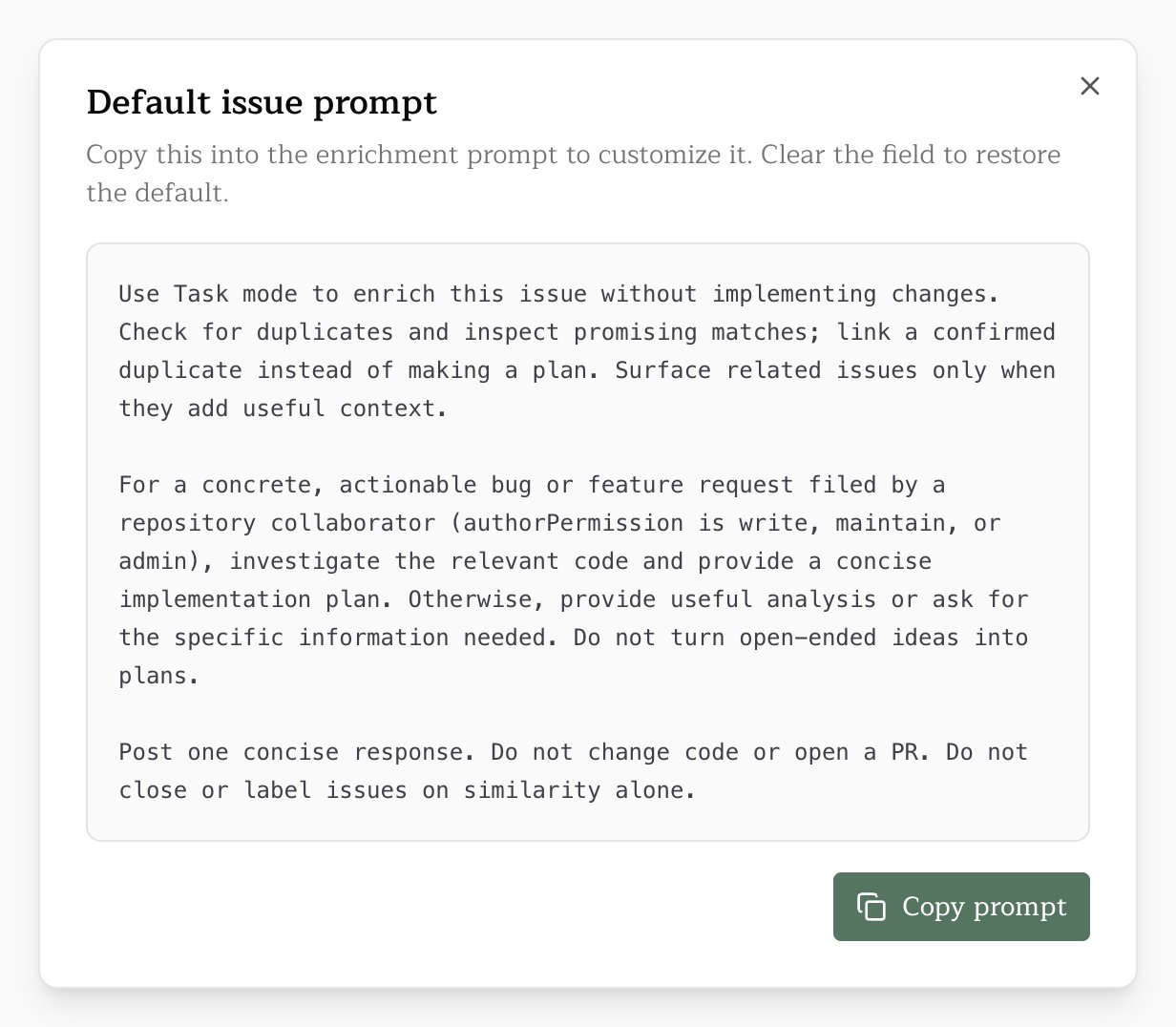
Implement from an issue
An enrichment reply carries an Implement a fix button, and a plan comment carries Implement plan. Either one starts a run that reads the issue discussion, implements the work, and opens a PR. Both buttons require you to sign in to Pullfrog with write access to the repository.Issue indexing
Issue indexing is a paid-plan feature. See Billing.
Auto-label issues
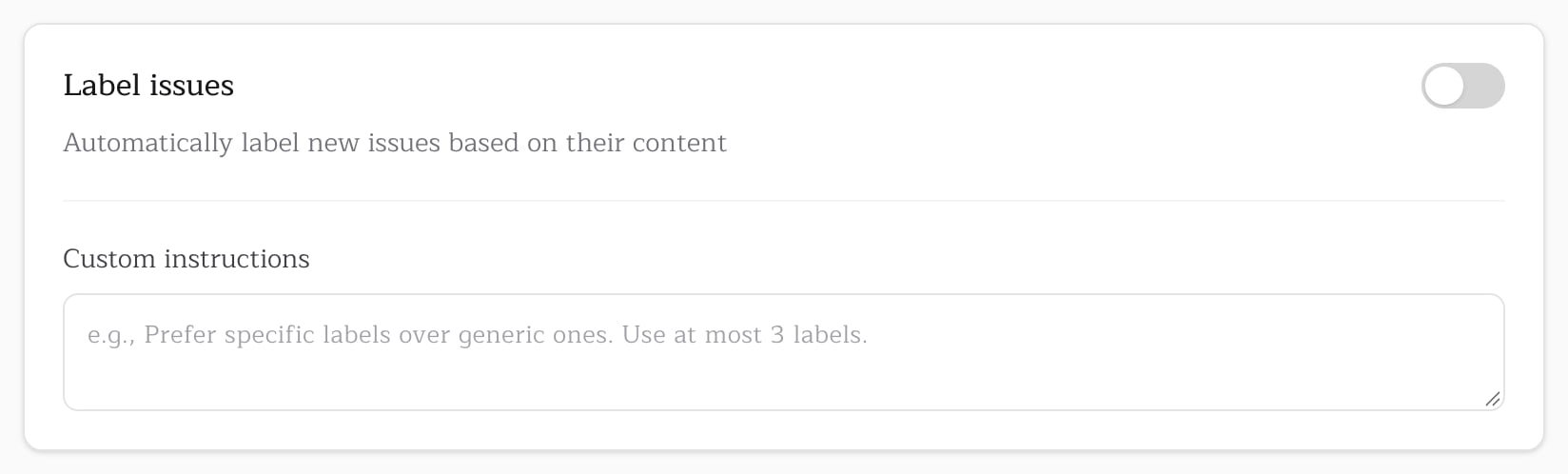
The Label issues card under Automations labels each new issue from its title and body, using only labels that already exist in the repository. It is off by default. Its Custom instructions field shapes the choice, for example “Prefer specific labels over generic ones. Use at most 3 labels.”
Plan instructions
The Custom instructions field on the Plan card under Automations guides how Pullfrog writes implementation plans. It applies when enrichment runs in Plan mode, when someone clicks Make a plan, and when an@pullfrog mention asks for a plan. The plans that Enrich mode posts follow the enrichment prompt instead.