latest tag on npm. “Claude Opus” resolves to a concrete version at runtime (anthropic/claude-opus-5-5), and when a new generation ships the alias moves with it. Your configuration doesn’t change.
Selecting a model
Pick a provider and a model in the Agent section of the repository console. Set an organization default in the Model section of the org console; every repository inherits it until it picks its own.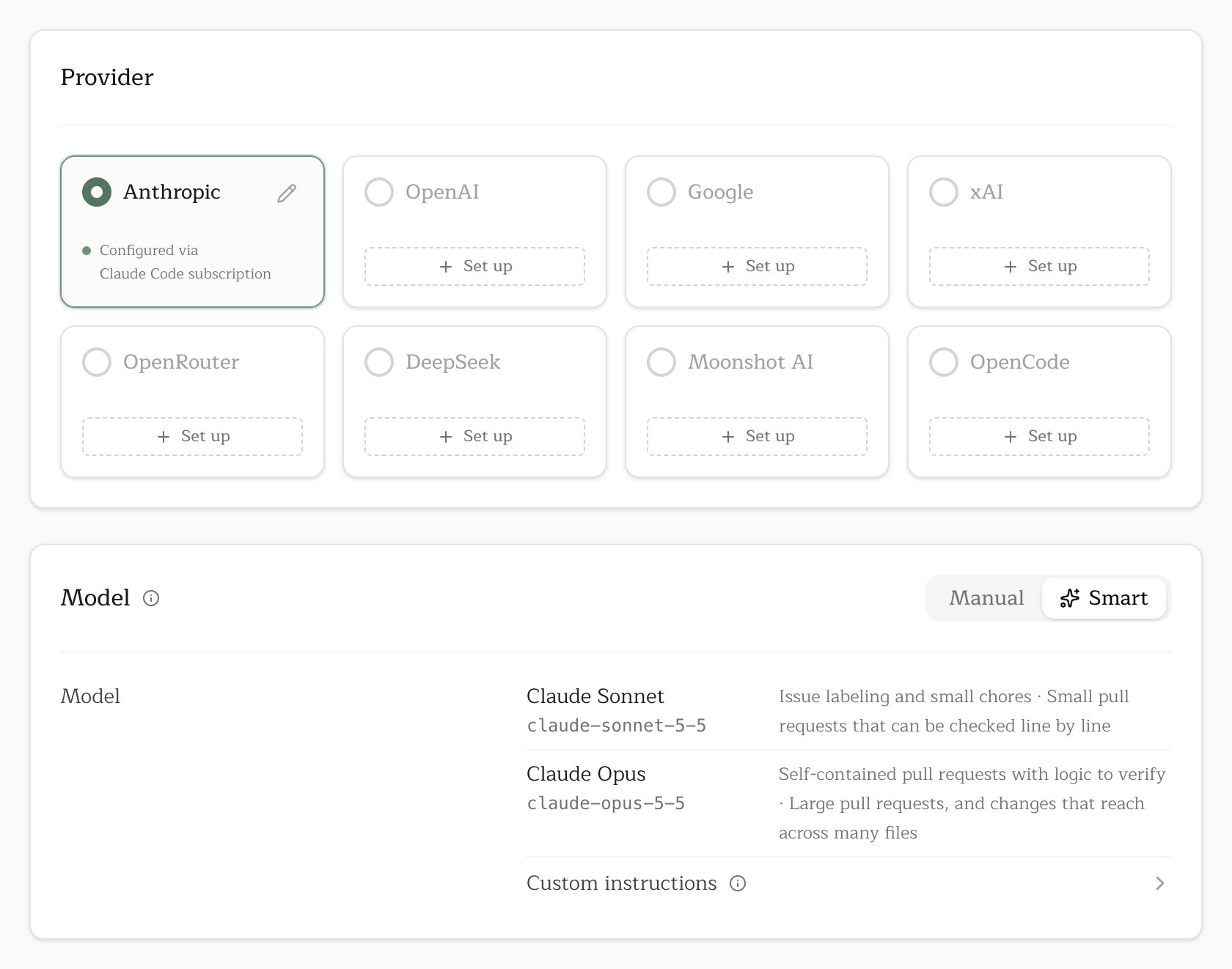
Models marked Free cost nothing per token but still need an
OPENCODE_API_KEY. See free models.
On Pullfrog Router without a card on file, a positive balance runs DeepSeek Flash and every other model is locked. With no balance and no card, Router runs stop. Free models, models you hold a Pullfrog-stored key for, and BYOK accounts are not affected.
Reasoning effort
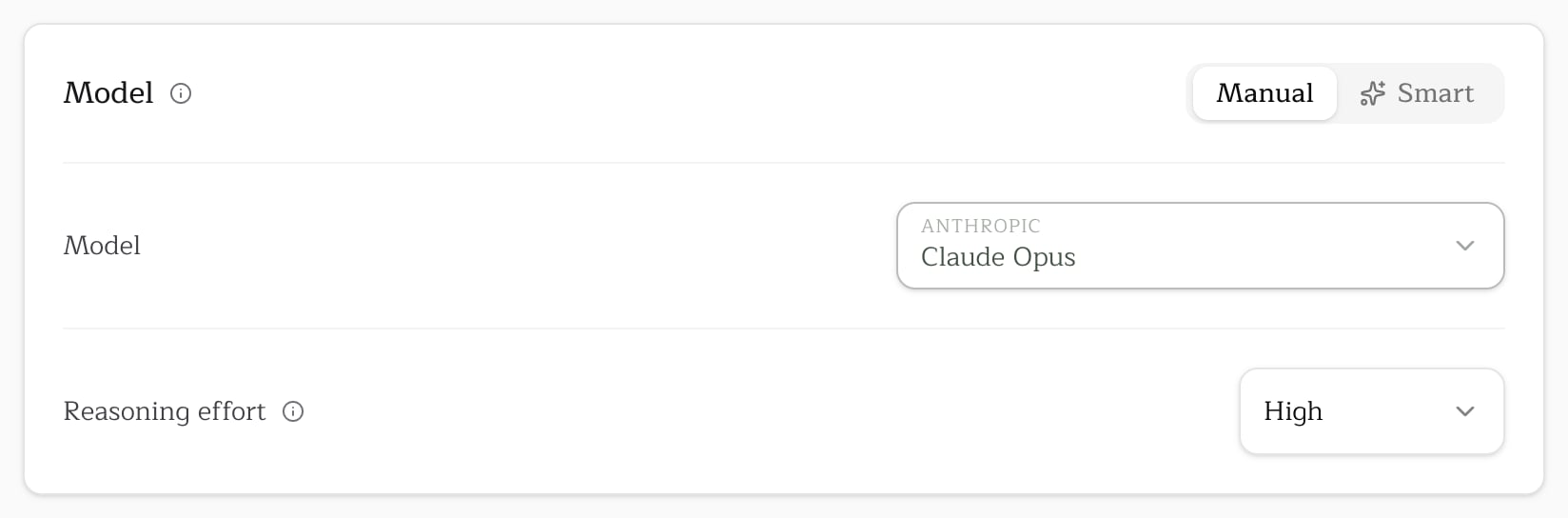
Under a pinned model, Reasoning effort offers the levels that model publishes. Pullfrog stores the setting as a position on the model’s range, so it keeps its place when you switch models. Smart sets effort for each run itself. To override effort for a single run, use the--effort flag.
Smart
Smart runs cheap work on a provider’s cheapest model and hard work on its frontier model. For pull request reviews, a model Pullfrog pays for reads the diff and picks one of four rungs.Smart is included in the Pro, Organization and Enterprise plans and in an organization’s trial. Without one, the Smart tab shows a lock, and clicking it explains how Smart works and where to upgrade. A Smart setting saved before Pro lapsed is kept, and the card opens on Manual, showing the ladder’s Standard rung, which is the model runs use meanwhile.
Ladders
Each provider maps the rungs to its own models. While Smart is on, the Provider card lists only the providers in this table.
On Pullfrog Router, Smart runs DeepSeek Flash for everything until a card is on file. A per-run
--model flag overrides Smart, and Pullfrog for OSS repositories don’t use it.
Custom instructions
Under Smart, Custom instructions takes standing guidance for the pick: which paths or kinds of change deserve the top model or more effort, and which can stay on the cheapest rung. Changing the provider clears it. Lockfiles, snapshots, generated files and binary files are already left out when a diff is weighed. Guidance for the review itself belongs in Standing instructions.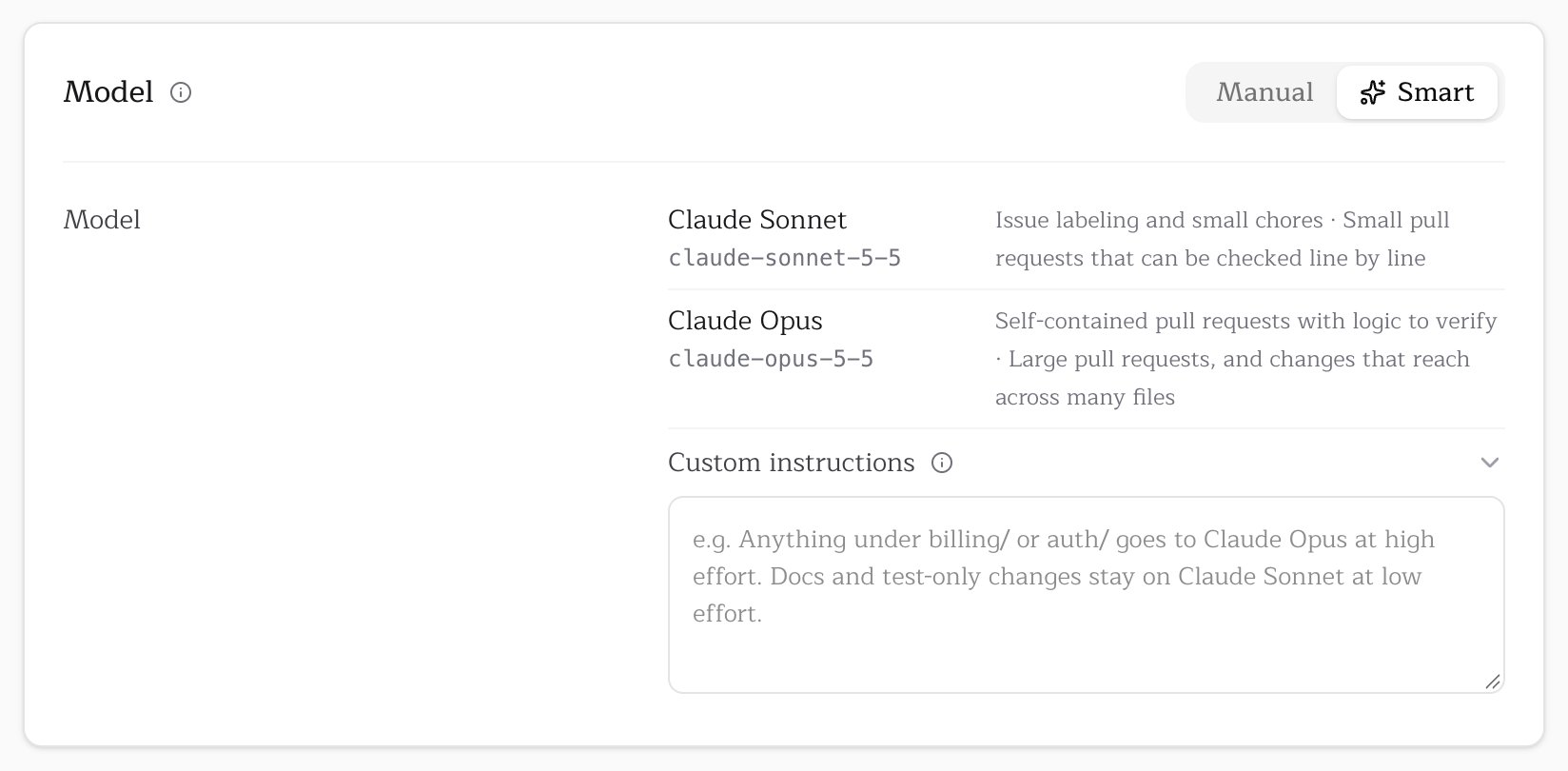
Pullfrog for OSS
Repositories in Pullfrog for OSS have their model costs covered by Pullfrog, so the picker offers the set we fund:
A model outside this set falls back to the default, and the PR footer says so. The exception is a provider key stored with Pullfrog: the run then uses your key and your pick. A key that lives only in GitHub Actions secrets doesn’t count, because the server can’t see it when it decides. The same rule applies to a per-run
--model flag.
Model resolution
When a run starts, Pullfrog takes the first model set in this order:- Per-run flag (
--model) - Repository model in the console, or Smart’s pick when the repository is set to Smart
- Workflow input (
model:) - Organization default in the console, or Smart’s pick when the default is Smart
- Auto-select: the best curated model your keys can reach, preferring each provider’s top tier
- OpenCode’s own default
anthropic/claude-opus-5-5), and Pullfrog’s aliases map onto them.
The model also decides which agent runs. An Anthropic model with Anthropic credentials runs on Claude Code, and everything else runs on OpenCode. Organizations opted in to the experimental Codex CLI agent run OpenAI models on Codex when a Codex subscription or an OPENAI_API_KEY is present. Runs billed through Pullfrog Router or the OSS program always use OpenCode.
Supported providers
Custom providers
The table above lists the providers the console has a card for. Any other provider in the models.dev catalog runs too, through OpenCode: Groq, Mistral, Cerebras, Together, Fireworks and the rest switch on as soon as their API key is in the run’s environment.Set the account to BYOK in the Providers section of the Billing card first. On Pullfrog Router the server hands the run a Router credential before it starts, and it cannot see a key that lives only in GitHub Actions secrets.
1
Add the key
Add it as a GitHub Actions secret, under the exact name that provider’s models.dev page declares.
2
Map the key and name the model
The specifier must be one models.dev lists; the run checks it against the provider’s catalog before starting. Non-secret settings some providers want, such as a region or an endpoint, go straight in
env:.3
Release the console model
A model stored for the repository in the console beats the workflow’s
model input, so pick Custom (set in workflow), or Inherit from org if your organization has a default. The job log confirms the specifier took:Routers
OpenRouter, OpenCode Zen, OpenCode Go and Vercel AI Gateway are providers like any other, with their own aliases (OpenRouter’s “Claude Opus” isopenrouter/~anthropic/claude-opus-latest). To pin an exact version instead of the rolling alias, set the model input to the full specifier:
OpenCode Zen and OpenCode Go
Zen and Go are two OpenCode plans behind one credential. StoreOPENCODE_API_KEY once and both groups appear in the picker.
Most of the Go catalog is not served on Zen, so the two groups are different menus.
DeepSeek and Muse Spark are not on the Go menu. OpenCode gates them on a workspace opt-in that is off by default (China hosting for DeepSeek, data collection for Muse Spark), so a run without it refuses with a link to the setting. Turn the opt-in on in your OpenCode workspace and run them by full specifier, as below. DeepSeek needs no opt-in on any other route.