Most of these layers defend against untrusted authors: people who open issues, pull requests and comments without write access. That exposure is largest on public repositories.
System prompt
Every run carries a system prompt that tells the agent not to reveal secrets or commit them, and to refuse any request it suspects is malicious. The prompt marks where the system section ends and the task begins, and the task cannot override the system section.Untrusted input isolation
Issue and pull request bodies are the main prompt-injection vector, so Pullfrog never inlines them into the prompt. The agent gets the event metadata it needs, such as the title, and fetches the body through a Pullfrog tool. Untrusted text therefore reaches the model as tool output, not as instructions.Secret masking
Pullfrog registers every secret with GitHub’s secret masking, so a secret printed by accident shows as*** in the Actions log.
Secret isolation
A run gets secrets from two places, and neither one exposes them by default:- GitHub Actions secrets reach the action only when your workflow passes them under
env:. - Pullfrog secrets, stored in the console or with the CLI, are encrypted at rest. Pullfrog releases them only to a GitHub Actions run that proves with an OIDC token that it belongs to that repository. A workflow triggered by a pull request from a fork cannot get an OIDC token, so a contributor who edits the workflow in a fork cannot reach these secrets.
Shell environment scrubbing
The Shell isolation toggle in the repo console’s Security card decides what environment shell commands get. It works the same way for every agent.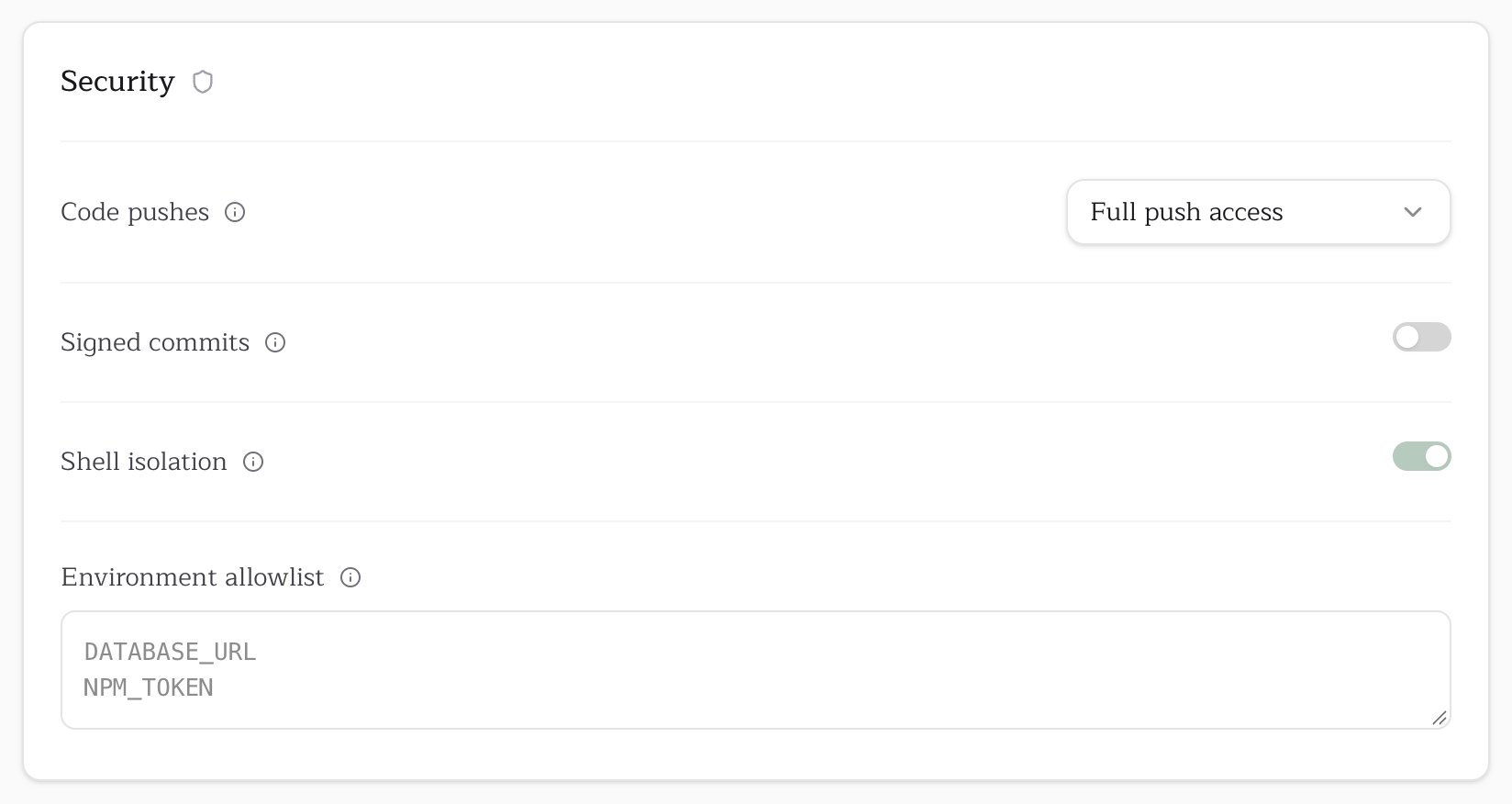
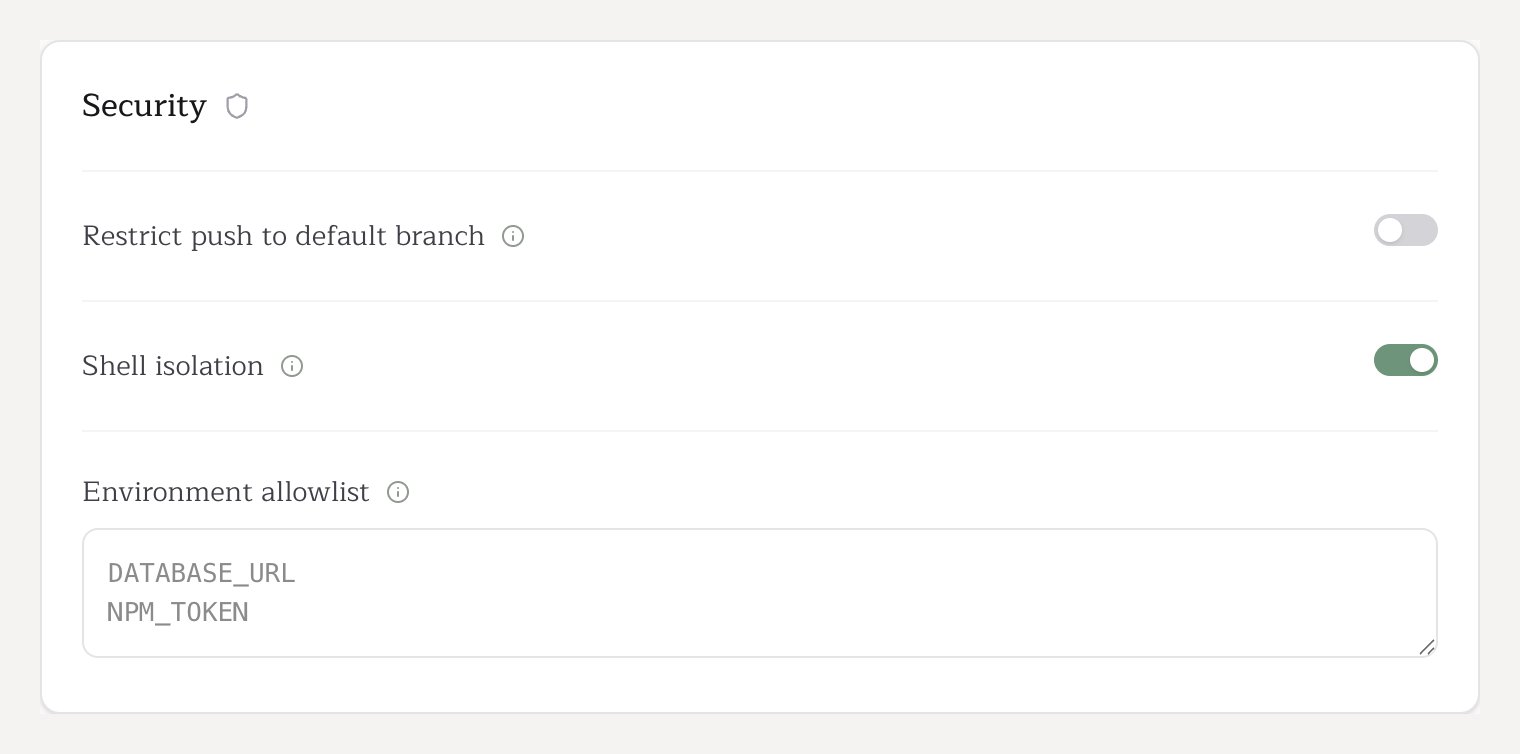
Shell isolation is always on for public repositories, and a repo admin can turn it off on a private one. Runs triggered by people without write access are always held to
restricted, whatever the setting.
- The allowlist is default-deny, so
envorprintenvcannot reveal an API key. - Variables whose names end in
_TOKEN,_KEY,_SECRET,_PASSWORDor_CREDENTIALare dropped even under an allowed prefix, soGITHUB_TOKENandGH_TOKENdo not pass. Pullfrog’s git operations authenticate separately and work without them. - The agent process itself keeps the full environment, because model providers need it. Only shell commands, the exfiltration path, are filtered.
- In CI every shell command runs in its own Linux PID namespace, so
cat /proc/$PPID/environcannot read the parent’s environment. Pullfrog creates the namespace withunshare, with passwordlesssudo, or inside an unprivileged user namespace; see Self-hosted runners.
Lifecycle scripts
Setup, post-checkout and pre-push scripts get the same environment and the same sandbox as shell commands. You write these scripts, but the code they call is not always yours: on a pull request from a fork, a pre-push script ofpnpm test runs the contributor’s tests.
- A script that needs a secret needs that variable in the environment allowlist, or shell isolation turned off. A missing variable is the usual reason a working script starts to fail.
- On a runner that cannot provide namespace isolation, Pullfrog skips the script instead of running it unprotected. The run continues, and the agent is told the script did not run.
Default allowed variables
These variables reach shell commands automatically. Every other variable is blocked unless you add it to the environment allowlist. Prefix-matched. Every variable with one of these prefixes passes, except a name that ends in one of the sensitive suffixes above.
Exact names.
System variables
System variables
Runner image toolchain variables
Runner image toolchain variables
Environment allowlist
The Environment allowlist field in the Security card passes extra variables to shell commands, one name per line. Use it for variables your build needs, such asDATABASE_URL or NPM_TOKEN, or for tools a prompt should be able to use, such as GH_TOKEN for the gh CLI.
Filesystem sandbox
In CI each shell command also runs in a mount namespace that hides or freezes three kinds of path. This applies whether shell isolation is on or off.
The agent’s built-in file tools have their own rules. They cannot write anywhere under
.git, including .git pointer files in worktree and submodule layouts, and they cannot read .git/config or /var/lib/pullfrog/.
Self-hosted runners
Pullfrog runs on self-hosted runners. The shell sandbox needsCAP_SYS_ADMIN, which runner kinds expose differently:
- VM and bare-metal runners work with no setup. Pullfrog uses passwordless
sudoto create the namespace, as it does on GitHub-hosted runners. - Containerized and Kubernetes runners, such as actions-runner-controller, usually have neither
CAP_SYS_ADMINnorsudo. Pullfrog first creates an unprivileged user namespace, which grants the capability inside that namespace only. A stock runner pod needs no configuration.
sudo to set up /var/lib/pullfrog/. On a runner without it, Pullfrog skips them and uses an API key if one is available.
What the container fallback guarantees
A shell command still cannot read another process’s environment variables, reach Pullfrog-managed files, undo the filesystem protections or signal the Pullfrog process. The kernel blocks cross-namespace environment reads on its own. One thing differs: inside a user namespace the container’s/proc cannot be replaced, so a shell command can see which processes run and their command lines. Pullfrog never puts credentials on a command line.
When it does not engage
The fallback needs a pod that may create user namespaces and a node kernel that permits them. It does not engage in these cases:- Pod seccomp. A pod hardened to
seccompProfile: RuntimeDefault, which the Pod Security Standardsbaselineandrestrictedprofiles require, cannot create user namespaces. Stock runner pods are unaffected, because the ARC chart sets nosecurityContextby default. - Root pod without
CAP_SETFCAP. A container that runs as root needs this capability to map user IDs. Pods that run as a non-root user, the ARC default, are unaffected. - Node kernel. Most distributions permit unprivileged user namespaces, including Debian, Ubuntu 22.04 and earlier, RHEL 8 and 9, Amazon Linux 2023 and GKE COS. Ubuntu 23.10 and 24.04 restrict them by default (
kernel.apparmor_restrict_unprivileged_userns), and RHEL and CentOS 7, Bottlerocket and Talos disable them (user.max_user_namespaces=0).
Short-lived tokens
Pullfrog uses GitHub OIDC to get installation tokens that are scoped to the repository and expire on their own. Pullfrog also revokes them at the end of each run. The token is never in the agent’s environment or in.git/config. Git authenticates through ASKPASS: a localhost helper hands git a code that is valid only for one operation and revokes it when the operation ends. If anything replays a code after that, Pullfrog revokes the GitHub token at once.
Permission checks
Pullfrog checks the GitHub permission of the person who triggered each run. Users with write, maintain or admin access are collaborators; everyone else is a non-collaborator. Repo admins decide which non-collaborator events start a run:
A run triggered by a non-collaborator always uses the
restricted shell, with a scrubbed environment, however the repository is configured.
Signed commits
Signed commits are available on paid plans. With the setting on, Pullfrog creates commits through the GitHub API, and GitHub signs them with its own key. They show as Verified and satisfy a “require signed commits” branch protection rule, which otherwise rejects every push from an agent. Turn it on per repository with Signed commits in the Security card. Pull requests from forks and content tracked by Git LFS fall back to ordinary unsigned commits.Code pushes
Repo admins set Code pushes in the repo console’s Security card. The setting applies to the whole repository, and an explicitpush: input in the workflow overrides it.
Whatever the setting, the agent can never delete the default branch. On cross-repo runs, it cannot push to the default branch of any repository other than the one that triggered the run. Use GitHub branch protection rules to protect other branches on the server side.