Auto-review new PRs
Pullfrog reviews a PR when it opens, or when a draft is marked ready for review. The first review opens with a summary of the change, followed by inline feedback. For small fixes, an inline comment carries a GitHub suggested change that you can commit from the thread.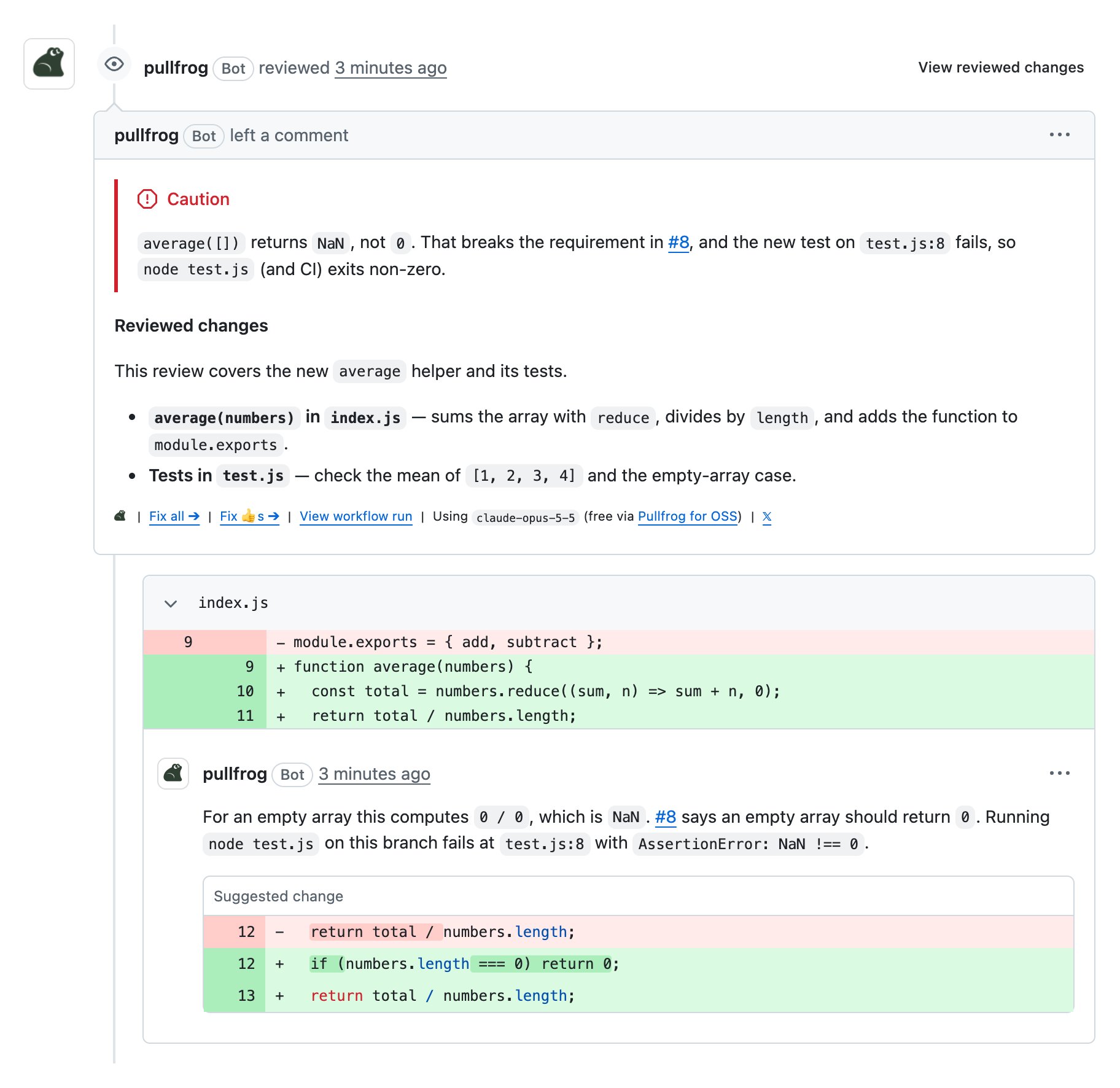
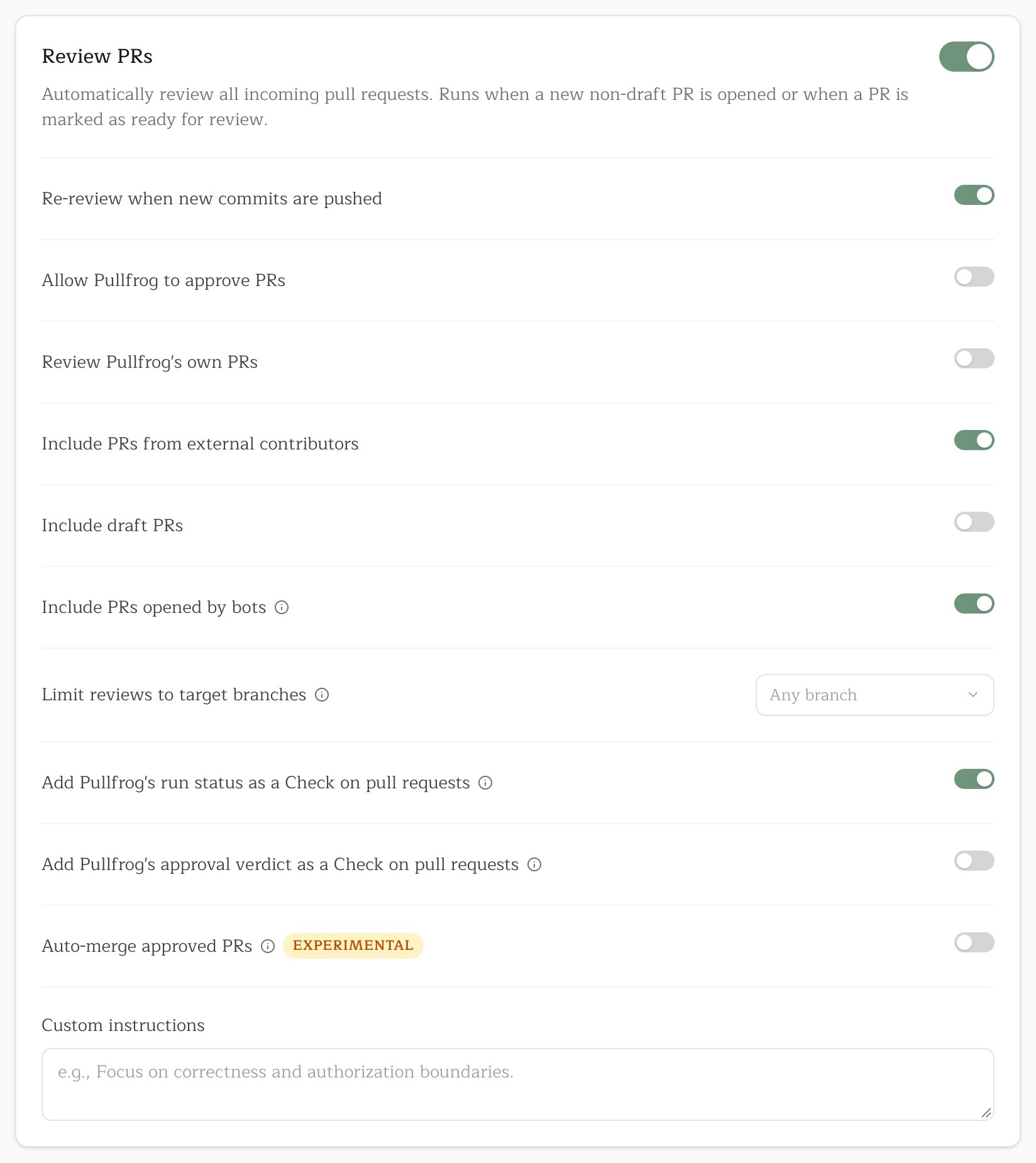
GitHub attributes a PR opened by any of your workflows to
github-actions[bot], so release PRs from release-please, git-pr-release, or a custom script are skipped until Include PRs opened by bots is on.Re-review on new commits
When new commits land on a PR that Pullfrog already reviewed, it reviews only the new changes. The re-review summarizes what changed since the previous review, so the PR keeps a running record. If a review is still running when more commits arrive, that run covers them and no second run starts.Base branches
Pullfrog reviews PRs into any branch by default. Limit reviews to target branches narrows that to branches you pick from the repository’s own list, which shows the default branch first and then the most recently updated ones. A team that merges feature branches intodevelop and cuts release PRs into main can pick develop. The release PR then goes unreviewed, since its changes were reviewed on the way in.
The setting scopes the review on open and the re-review on push. An
@pullfrog mention, addressing reviews, and fixing CI failures work on a PR into any branch.Address reviews
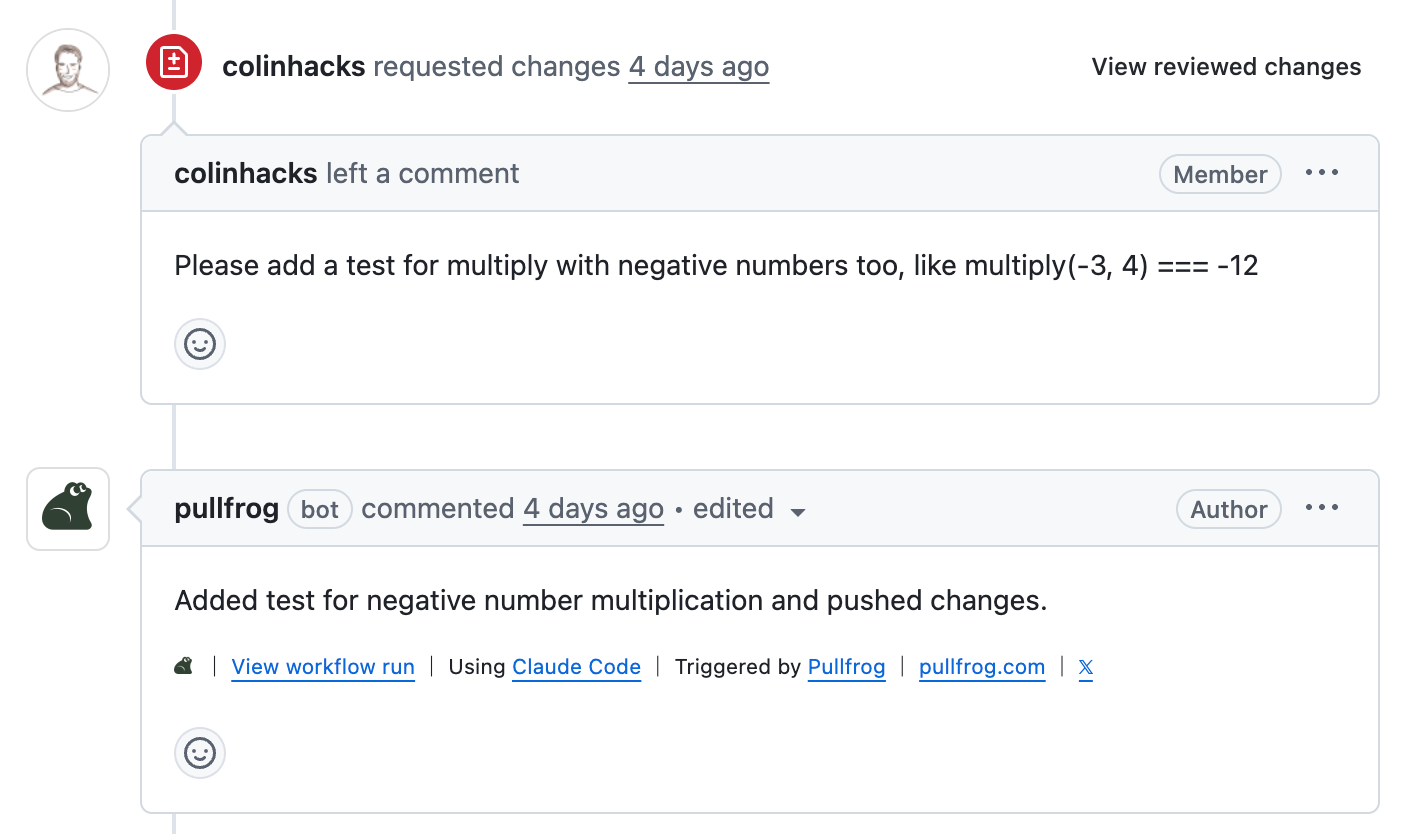
Pullfrog implements review feedback in follow-up commits, whether the review came from Pullfrog or from a person.Reviews on Pullfrog’s PRs
When a person submits a review on a PR that Pullfrog opened, Pullfrog applies the requested changes and pushes. The Address reviews card under Automations turns this on or off; it is on by default.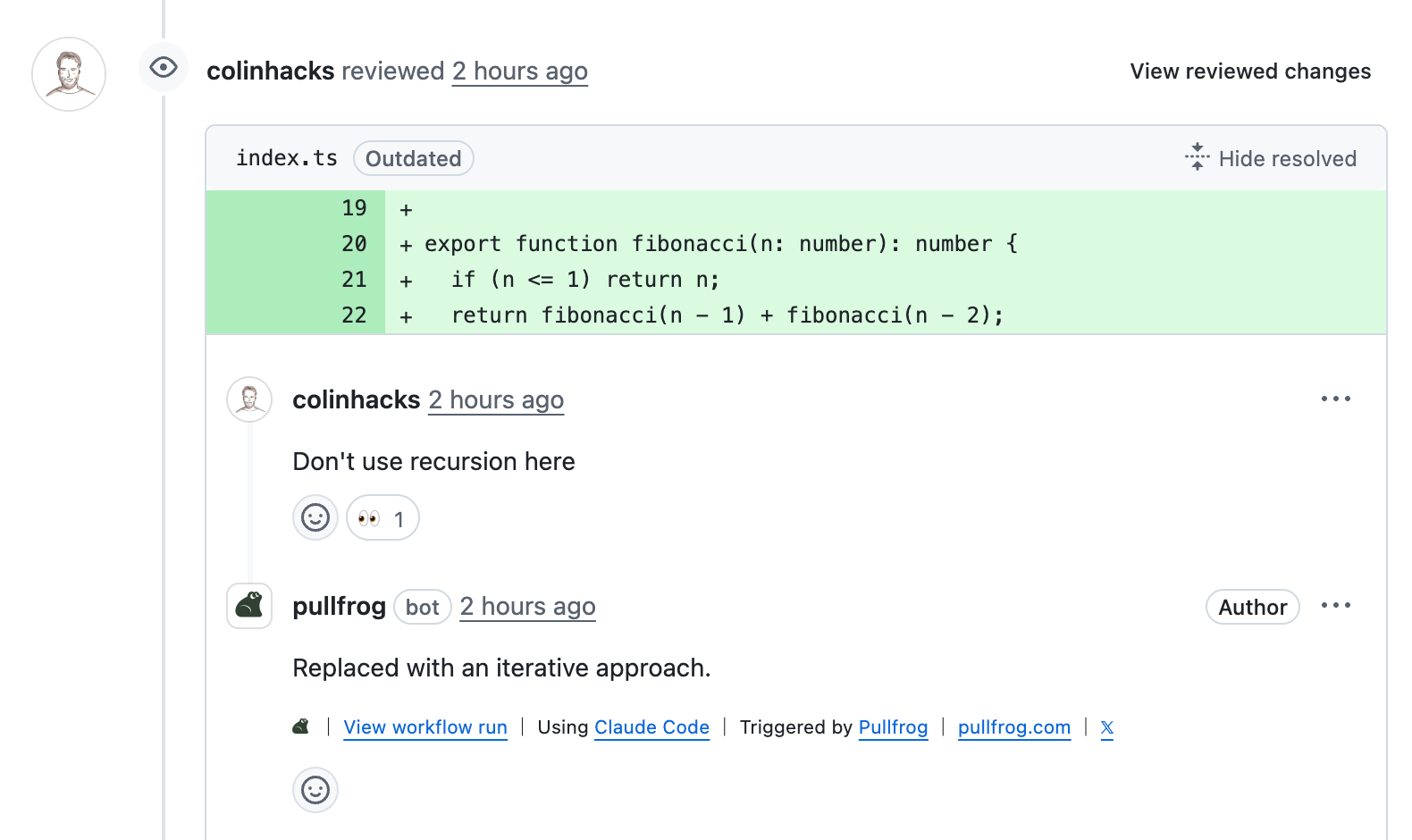
Comment to request a fix
On any PR, comment with@pullfrog and the change you want. For feedback on specific lines, comment in the review thread so the change is anchored to that code.
Fix all and Fix 👍s
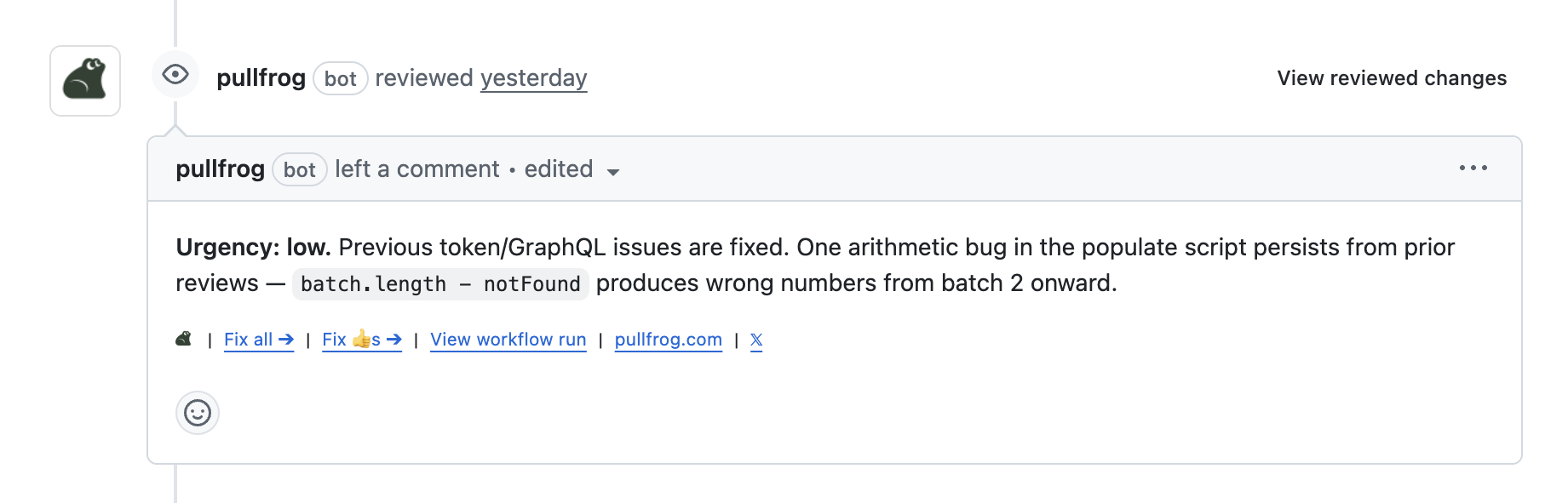
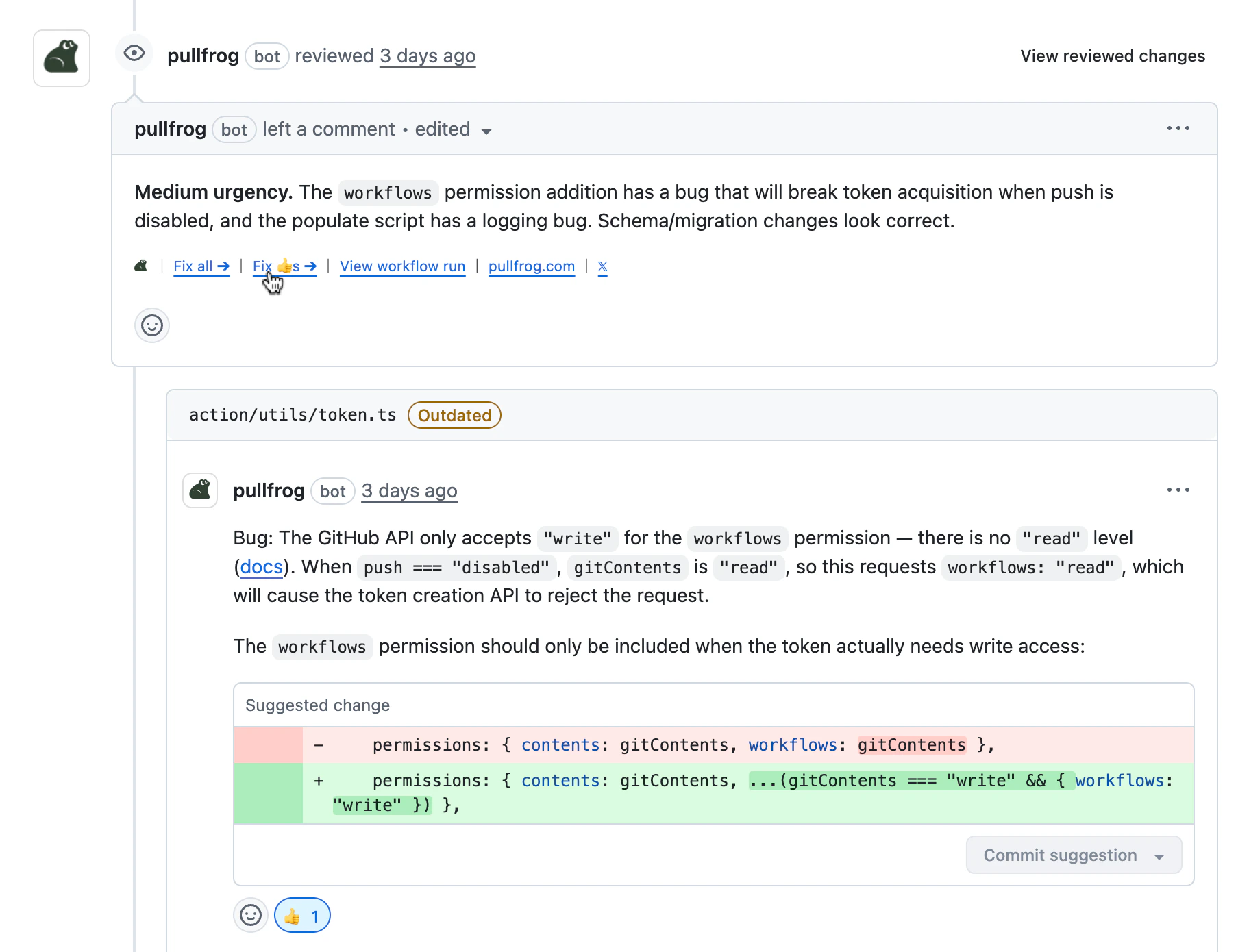
A Pullfrog review with inline comments ends with two buttons:- Fix all addresses every comment in the review in one run.
- Fix 👍s addresses only the comments you reacted to with 👍, and resolves their threads.
Pullfrog can push to a PR from a fork when the author allows edits from maintainers.
Auto-merge approved PRs
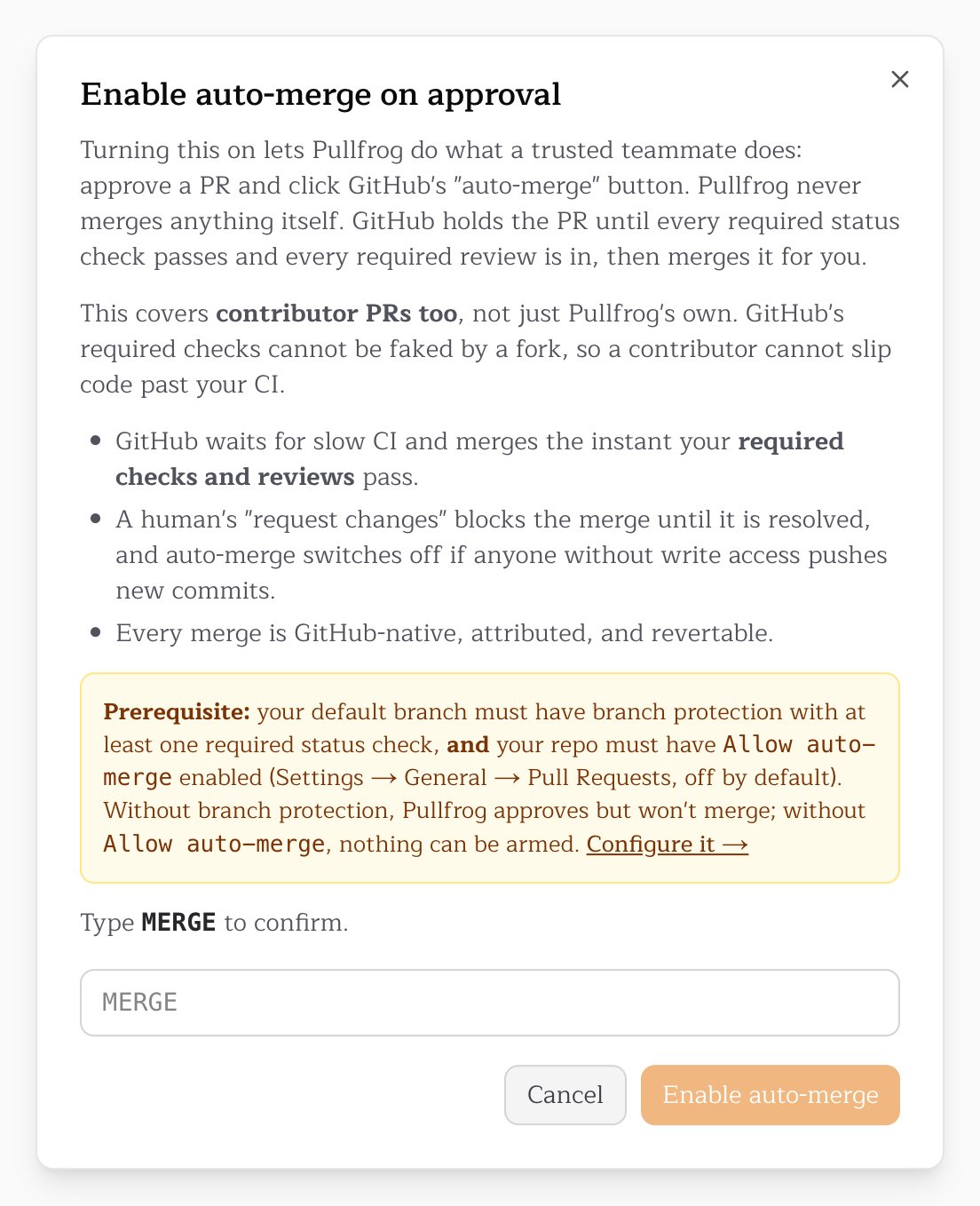
With auto-merge on, a PR that Pullfrog approves goes to GitHub’s native auto-merge. GitHub merges it once your required status checks pass and any required reviews are in. Pullfrog never merges past a check or review that your branch protection requires. Auto-merge is experimental. It needs all of the following:- Auto-merge approved PRs turned on in the Review PRs card. Only a repository admin can turn it on, and the console asks you to type
MERGEto confirm. - Allow Pullfrog to approve PRs turned on.
- Branch protection on the base branch with at least one required status check. Without it, Pullfrog approves but does not merge.
- Allow auto-merge turned on in the repository’s GitHub settings (Settings → General → Pull Requests). It is off by default.
Progress comments
While a run is in progress, Pullfrog posts a temporary “Leaping into action…” comment, updates it with the agent’s task list, and deletes it when the run finishes.

progress_comments workflow input suppresses only the live task-list updates:
Status checks
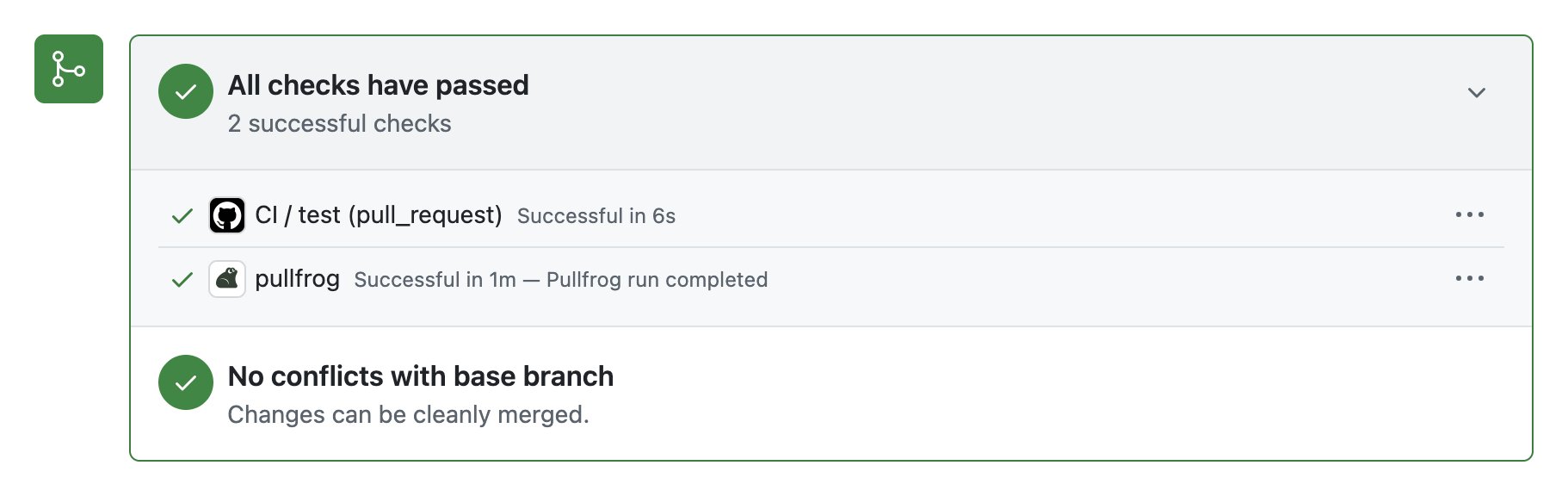
Pullfrog dispatches its GitHub Actions runs against your default branch, so the run never appears in a PR’s checks list. Two checks put Pullfrog’s state on the PR instead. Both are toggles in the Review PRs card.
Neither check blocks a merge until you add it to the branch’s required status checks in GitHub.
pullfrog
The check appears on the PR head as soon as a run is dispatched, before the runner starts, and shows Pullfrog is running. When the run ends, it resolves to success, or to failure, cancelled, or timed out with a link to the run logs.
pullfrog-approval
The check succeeds when Pullfrog has no outstanding feedback. It fails when Pullfrog requested changes or when any earlier Pullfrog review thread is still unresolved, even if the latest commit introduces no new issue. It is independent of Allow Pullfrog to approve PRs, so you can require the check without letting Pullfrog submit approvals.
The check attaches to the exact commit Pullfrog reviewed, and only runs that produce a review verdict post it. A new push therefore has no pullfrog-approval check until Pullfrog re-reviews it, so a required check keeps the merge blocked until then. A re-review that finds nothing new to review, such as after a merge of the base branch, carries the previous verdict forward to the new head; a previous rejection carries forward after any re-review that submits no review. A run that fails or is cancelled posts no check, which also blocks the merge until the next run reports.
Review instructions
Review instructions tell Pullfrog what to focus on. Edit them in the Custom instructions field at the bottom of the Review PRs card. They apply to automatic reviews, re-reviews, and reviews you request with@pullfrog.
Examples: “always check for missing test coverage,” “flag any new dependencies,” or a repository-specific style rule. Keep them short and concrete.
By default, a review looks for defects — anything that changes what the code does — and puts each one inline at its real severity. It does not go looking for missing tests, stale comments, naming, dead code or rollout plans, and it never flags formatting. If your team wants that feedback, ask for it here, for example “flag new code that has no test” or “check the rollout order of schema changes.”