

Bedrock support is BYOK only. Inference is billed by AWS to your account; Pullfrog never proxies Bedrock traffic.
Setup
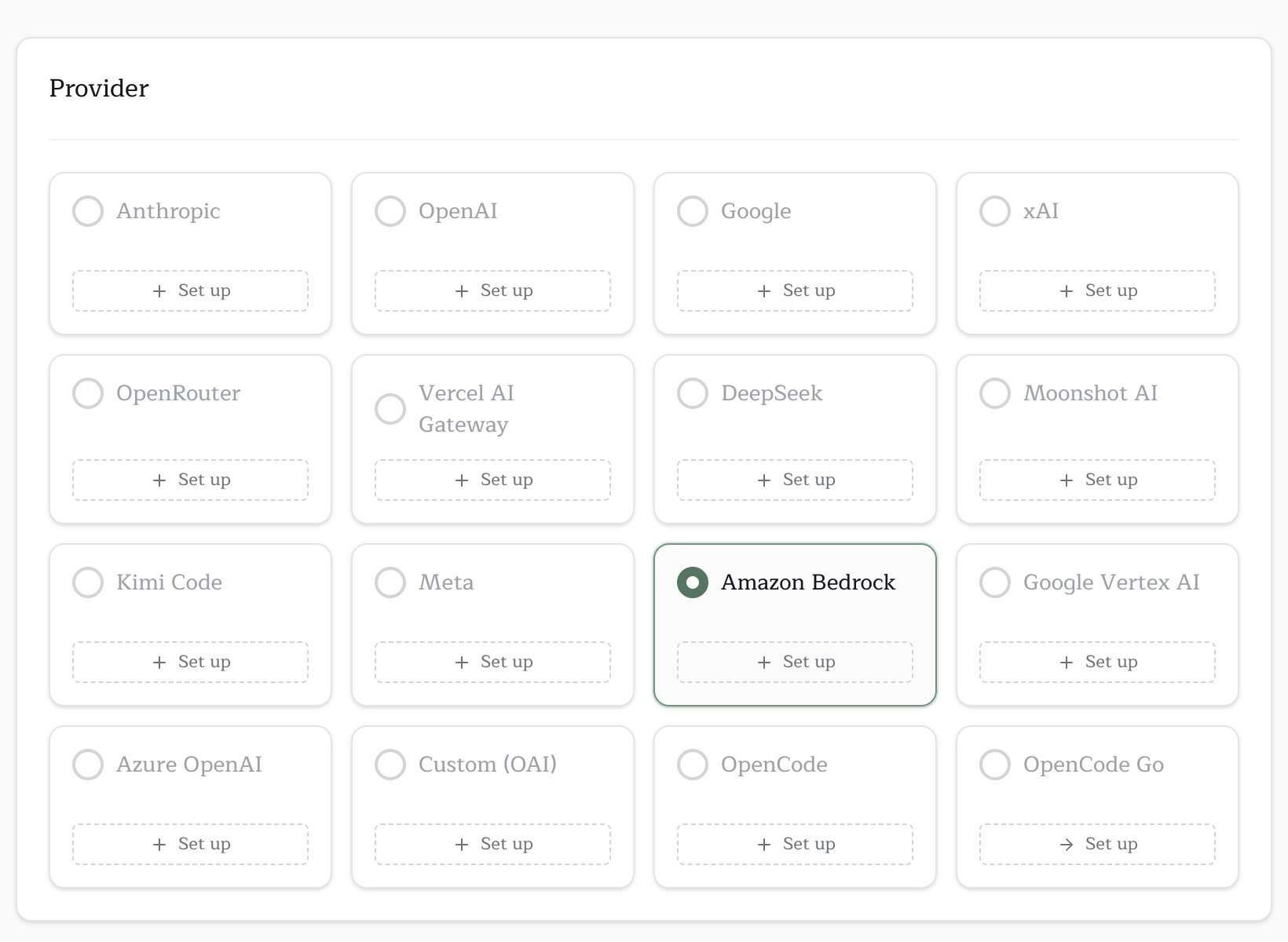
Three things, in order: pick the provider on the Provider card, add the bearer token as a secret, and put the region + model ID in your workflow.1. Select Amazon Bedrock on the Provider card
Inpullfrog.com/console/<account>/<repo>, pick the Amazon Bedrock tile on the Provider card. Its Set up opens the credential form; the region and model ID go in your workflow (step 3).
BEDROCK_MODEL_ID (see step 3). This is intentional: most Bedrock customers have specific model-access enrollments, provisioned throughput, or compliance reviews tied to exact model versions, and silent alias bumps would break all three. What you set is what runs.
2. Store your Bedrock credentials as a secret
Pullfrog needs your AWS credentials at run time to call Bedrock on your behalf. Either:- a Bedrock API key (recommended for headless use) — mint one in the Bedrock console under API keys. This becomes the
AWS_BEARER_TOKEN_BEDROCKenv var. - an IAM access key pair with
bedrock:InvokeModelpermission. BecomesAWS_ACCESS_KEY_ID+AWS_SECRET_ACCESS_KEY(and optionalAWS_SESSION_TOKENif you’re using STS).
env: mapping in pullfrog.yml. See the Keys page for the full comparison.
3. Hardcode AWS_REGION and BEDROCK_MODEL_ID in pullfrog.yml
These two values aren’t sensitive. AWS_REGION is just us-east-1 (or your region), and BEDROCK_MODEL_ID is a public Bedrock model identifier you’d see in the AWS console. Put them directly in your workflow’s env: block — don’t bother with secret storage for either:
AWS_BEARER_TOKEN_BEDROCK line — Pullfrog auto-injects it.)
To switch model versions later, edit BEDROCK_MODEL_ID directly and commit. Pullfrog never resolves or upgrades the value — what you set is what runs.
4. (Anthropic only) Submit the use-case form
AWS auto-enables most Bedrock models on first invocation — Nova, Llama, Mistral, DeepSeek, Qwen, GPT-OSS will all just work. The one exception: first-time users of Anthropic models must submit a one-time use-case form in the Bedrock console under Model catalog → pick the Anthropic model → Request access. Approval is instant. If your run errors withAccessDeniedException and your model ID contains anthropic, this is the cause.
Picking a model ID
BEDROCK_MODEL_ID should be the exact AWS Bedrock model ID, the same string you’d see in the AWS console under Model catalog → Programmatic Access. Some common picks:
us.anthropic.claude-opus-4-6-v1— Claude Opus 4.6 (US cross-region inference)us.anthropic.claude-sonnet-4-6— Claude Sonnet 4.6 (US)us.anthropic.claude-haiku-4-5-20251001-v1:0— Claude Haiku 4.5 (US)amazon.nova-pro-v1:0— Amazon Nova Proamazon.nova-lite-v1:0— Amazon Nova Liteus.meta.llama4-scout-17b-instruct-v1:0— Llama 4 Scout (3.5M context)us.meta.llama4-maverick-17b-instruct-v1:0— Llama 4 Maverick (1M context)deepseek.v3.2— DeepSeek V3.2us.deepseek.r1-v1:0— DeepSeek R1 (reasoning)moonshotai.kimi-k2.5— Kimi K2.5mistral.mistral-large-3-675b-instruct— Mistral Large 3qwen.qwen3-coder-480b-a35b-v1:0— Qwen 3 Coderopenai.gpt-oss-120b-1:0— OpenAI GPT-OSS 120B
us., eu., jp., au., and global. prefixes) and base in-region IDs. Pick a geo prefix that matches your AWS_REGION (e.g. us.* for us-east-1, eu.* for eu-west-1).
How routing works
Pullfrog detects whether the model is Anthropic by checking the ID for the substringanthropic:
- Anthropic IDs (e.g.
us.anthropic.claude-opus-4-6-v1) run through the Claude Code CLI, which talks to Bedrock natively onceCLAUDE_CODE_USE_BEDROCK=1is set. Pullfrog sets that env var automatically. - Everything else (Nova, Llama, Mistral, DeepSeek, Qwen, GPT-OSS, etc.) runs through OpenCode’s
amazon-bedrockprovider. Pullfrog prepends theamazon-bedrock/prefix automatically.
Troubleshooting
“BEDROCK_MODEL_ID env var is required when the model is set to bedrock/byok” You picked Amazon Bedrock as the model but didn’t setBEDROCK_MODEL_ID in your workflow’s env: block. Add it (see step 3 above).
“Bedrock model selected but required configuration is missing”
One or more of the three required values isn’t set. The error message lists exactly what’s missing.
Run starts but the LLM call returns 403/AccessDeniedException
For Anthropic models: see step 4 — first-time use of an Anthropic model on Bedrock requires a one-time use-case form.
For other models: your IAM policy is missing bedrock:InvokeModel for that model’s resource ARN. (If you’re using a Bedrock API key instead of IAM access keys, this almost never happens — the bearer token already grants invoke permission to anything in the account.)
Run starts but the LLM call returns ValidationException about the model ID
The BEDROCK_MODEL_ID value isn’t a valid Bedrock ID for your region. Check the model card’s Programmatic Access section in the AWS console — the ID format depends on whether you’re using cross-region inference (geo prefix) or in-region invocation (no prefix). Make sure the geo prefix matches your AWS_REGION.